Now available on Windows

Translate into
every language at once

Chat-style translation with group mode — send one message and get parallel translations in 14+ languages simultaneously.

Download Free See how it works
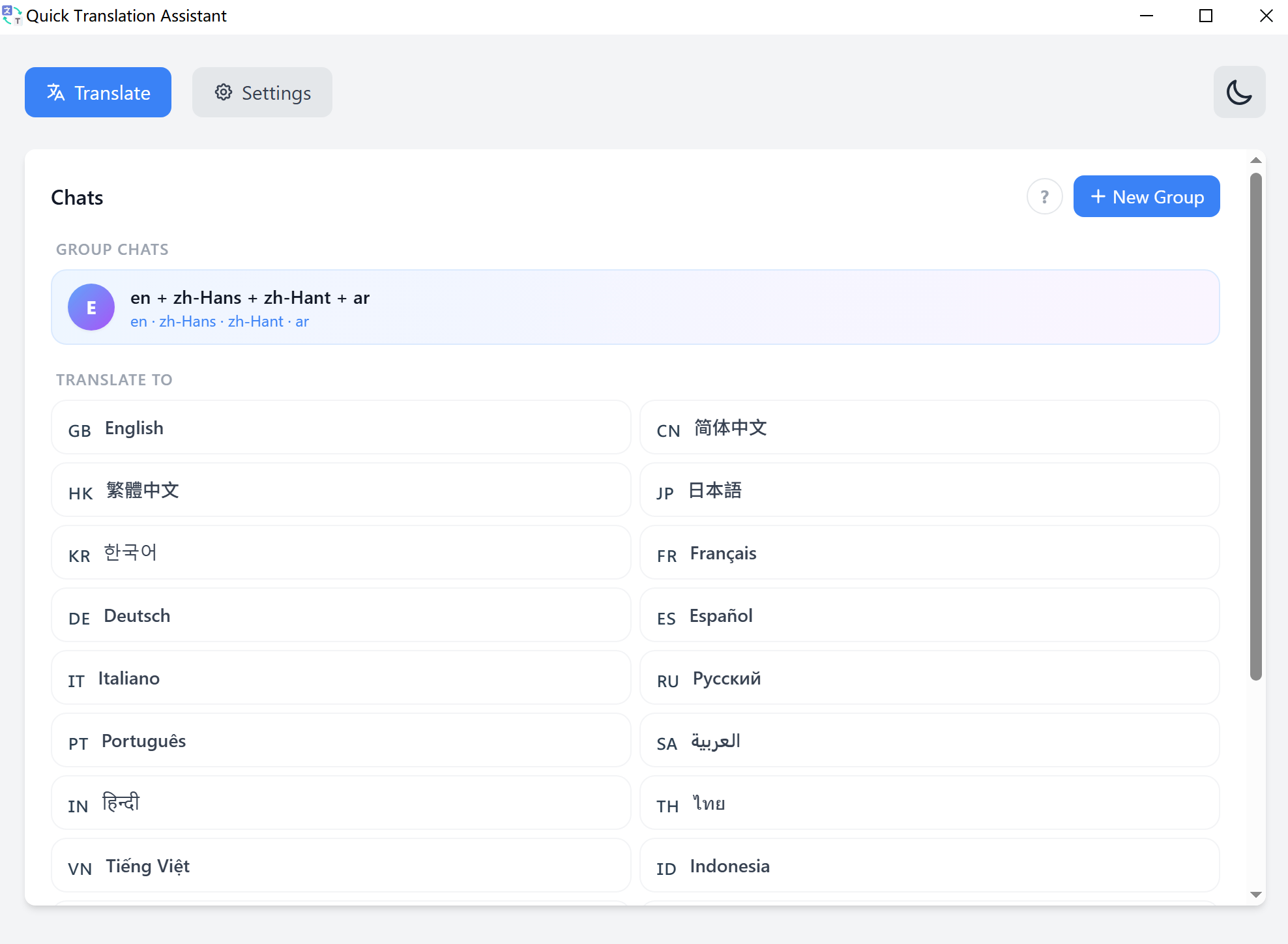
Quick Translation Assistant — chat translation interface
14+
Languages
2
Translation Engines
Group Channels
0
Data Collected

A new way to think about translation

Forget the old input/output panel. Quick Translation Assistant works like a chat app — natural, fast, and built for real conversations.

● Single Chat

One-on-one translation

Pick a target language and start typing. Each message is translated and displayed as a chat bubble — full context, full history.

Single chat translation mode
⬡ Group Translation

All languages, simultaneously

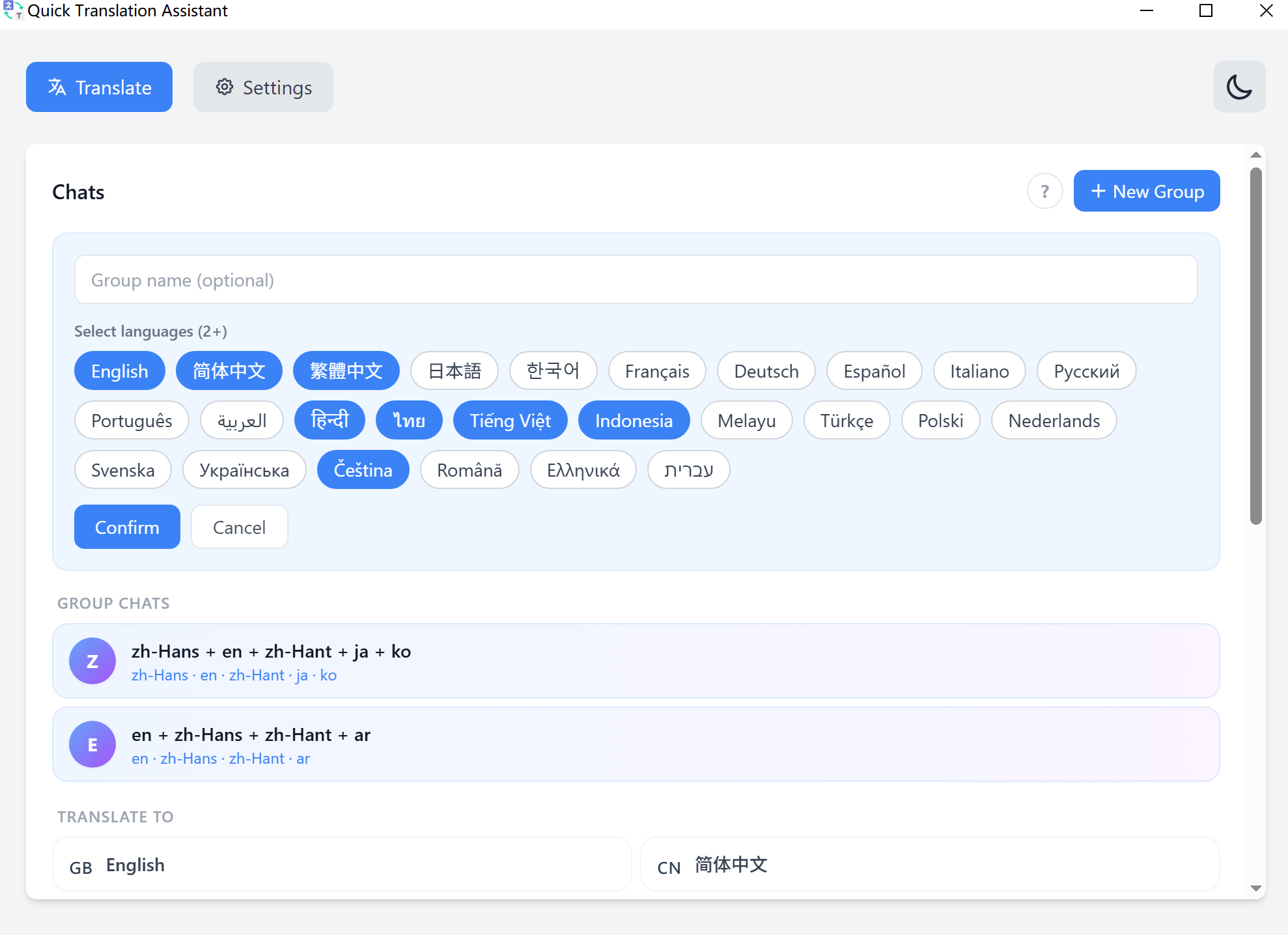
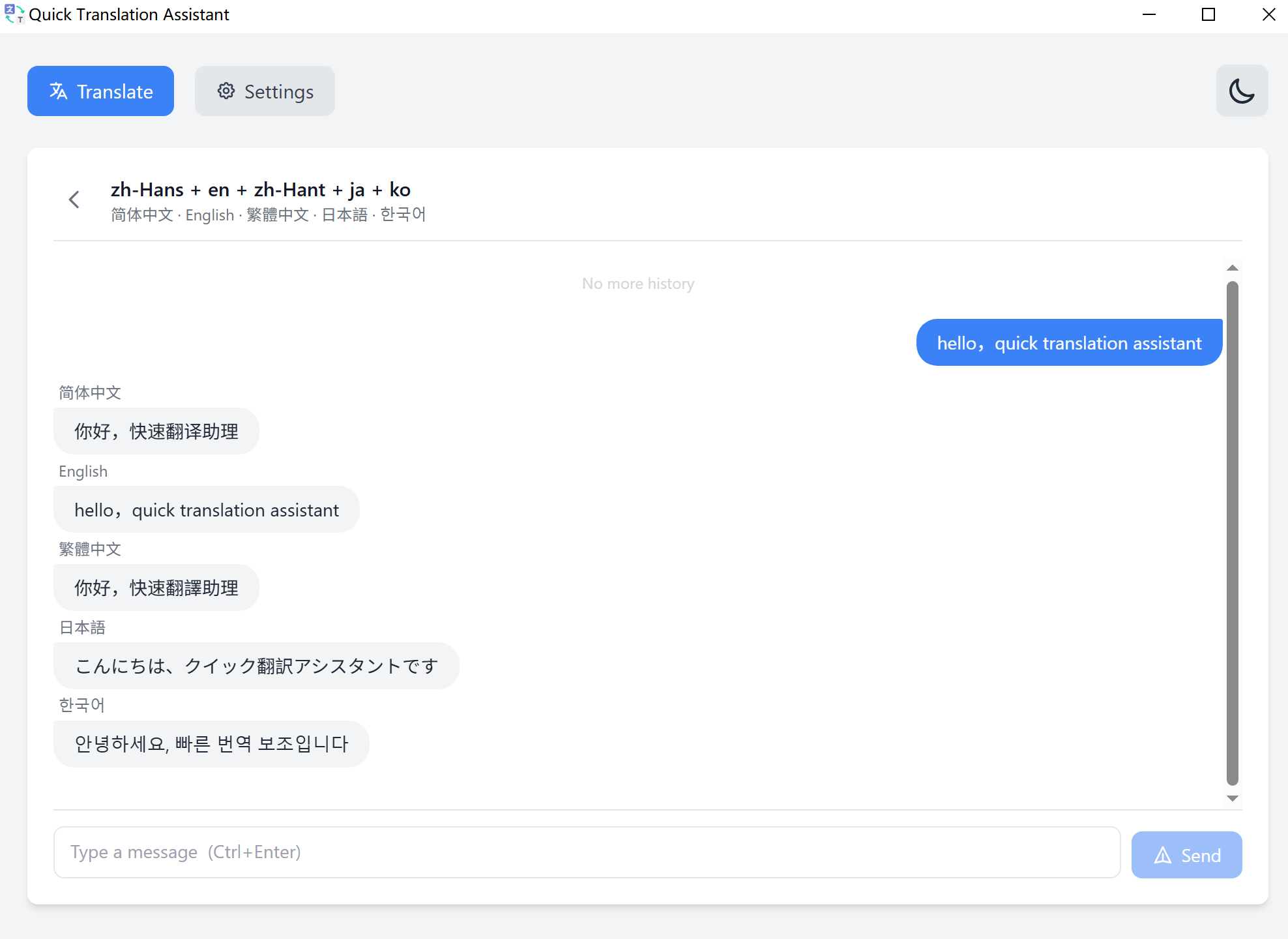
Create a group with 2–10 target languages. One message triggers parallel translations — all streamed in real time, side by side.

Group translation mode

Build your translation group in seconds

Select any combination of languages, name your group, and start translating. Every message you send gets delivered to all languages simultaneously.

Parallel processing

All translations run at the same time — not one after another. Results appear as they stream in.

💬

Persistent history

Your group channels and translation history are saved locally and restored on next launch.

🌐

Mix engines per group

Use Bing Translate for speed or an LLM for nuanced, context-aware results — your choice per session.

Create translation group
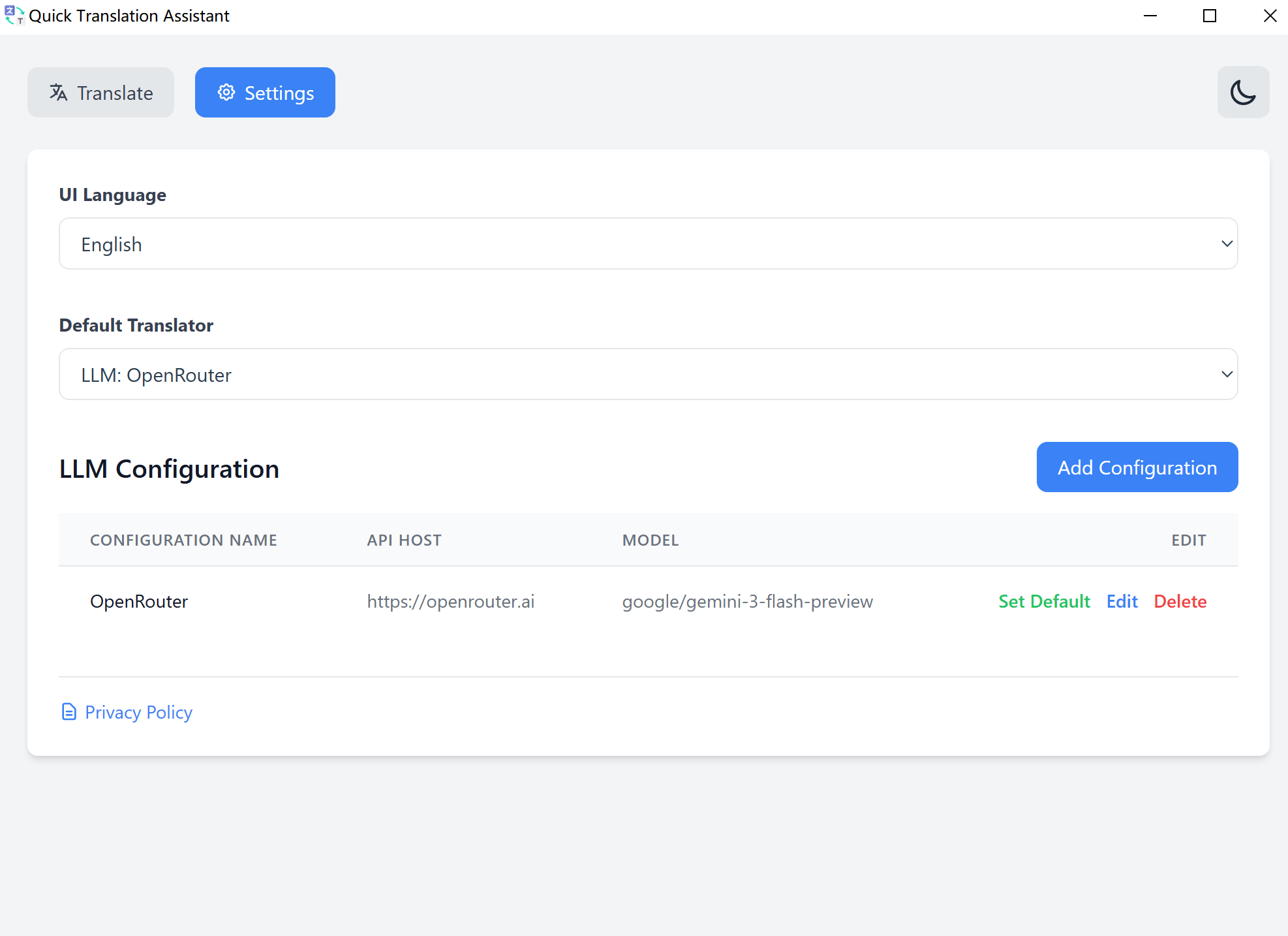
Settings and LLM configuration

Bring your own AI model

Connect any OpenAI-compatible API — OpenRouter, local models, or your own endpoint. Full control over model, host, path, and custom prompts.

🤖

OpenAI-compatible APIs

Works with OpenRouter, Together AI, Groq, Ollama, and any provider using the standard chat completions format.

⚙️

Multiple LLM profiles

Save multiple configurations and switch between them per session. Each profile has its own model, key, and system prompt.

🔄

Real-time streaming

LLM translations stream token by token — no waiting for the full response before you can start reading.
Start translating today

Free to use. No account required. Your data stays on your machine.

Windows 10 (17763.0+) · Available exclusively on the Microsoft Store · Requires internet for translation services